Phantom Town Action Game
Reviews
Phantom Town delivers a satisfying action experience with its eerie atmosphere and straightforward gameplay. The tool selection adds variety, and the full screen mode enhances immersion. It runs smoothly in the browser and is free to play. A good choice for fans of creature-based survival games.
Description
Game Introduction
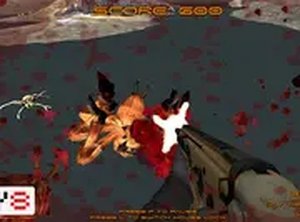
Phantom Town is a free WebGL action game set in an empty city overrun by unusual creatures. Players navigate eerie streets filled with giant spiders, bugs, monsters, and other beings. The goal is to survive by overcoming these creatures before they catch you. With a simple interface and immersive gameplay, Phantom Town offers a thrilling experience for fans of action games. You can choose your tools by pressing the I key, making each playthrough unique. The game runs directly in your browser, so no downloads are needed. For a more intense experience, play in full screen mode. Phantom Town is free to play and designed for desktop computers using a keyboard or mouse.
How to Play
To play Phantom Town, use your keyboard and mouse to control your character. Move around the empty city and avoid or confront the giant spiders, bugs, monsters, and other creatures. Press the I key to open your inventory and select tools to defend yourself. The key to survival is to stay alert and overcome enemies before they harm you. Clear the city of all creatures to win. The game works best on a desktop computer, and you can switch to full screen mode for better visibility. Remember, there are no mobile controls, so use a mouse and keyboard for the best experience.
Game Features
Phantom Town is a free WebGL action game with tool selection and full screen mode. It features easy to learn controls, an immersive atmosphere, and requires no downloads. Players can choose from various tools to adapt to different challenges. The game runs smoothly in most modern browsers.
Tips for Success
Stay alert and keep moving to avoid being caught by creatures. Use the inventory system (press I) to select the best tool for each situation. Practice navigating the city to learn enemy patterns. Play in full screen mode for better visibility. Since the game is free and browser-based, you can replay as many times as needed to improve your skills.
Compatibility
Faq
Is Phantom Town available on mobile devices?
Do I need to download anything to play Phantom Town?
Can I play Phantom Town in full screen mode?
What kind of tools can I select in Phantom Town?
Is Phantom Town free to play?
What browsers support Phantom Town?
More Games

WrestleFest Arcade Wrestling Game
A nostalgic arcade wrestling game with iconic superstars and exciting tag team action.

Bank Heist Action Game
A fun, family-friendly heist game that blends stealth and strategy for all ages.

Fury Foot Action Game
Fury Foot is a thrilling kick-and-shoot adventure that keeps you on your toes with fast action.

Dynasty Warriors Advance Tactical Action
A compact tactical action game with unlockable characters and strategic combat on GBA.
Phantom Town Action Game
Fun browser action game with creepy creatures and simple controls. Great for quick play sessions.
Forsake the Rake Investigation Puzzle
A solid mystery game with clear objectives and good teamwork elements. Keeps you engaged.