Asgard Quest: Viking Strategy Defense
Reviews
Asgard Quest offers a solid strategy defense experience with a Norse mythology theme. The nine worlds provide variety, and the upgrade system adds depth. Controls are simple, making it easy to pick up. The game is free and requires no download, which is a plus. It is a good choice for fans of strategy games looking for a quick, engaging challenge.
Description
Game Introduction
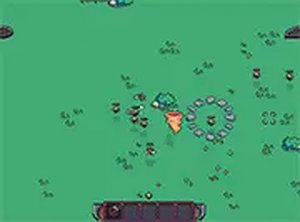
Asgard Quest is a free online strategy defense game set in Norse mythology. You guide a mortal Viking warrior through a journey across nine worlds, each presenting new challenges. The core objective is to reach Asgard by overcoming various foes that appear along the way. As you progress, you collect experience coins from defeated enemies. These coins allow you to choose upgrades between levels, enhancing your warrior's capabilities. The game offers a straightforward experience with simple controls and fast-paced action. It is designed for desktop play and requires no download. Players can enjoy hours of strategic gameplay as they explore the nine worlds and work toward the final goal. The game combines elements of strategy and defense, requiring careful planning and quick reactions.
How to Play
Players control their Viking warrior using a keyboard and mouse. Movement is typically handled with arrow keys or WASD. Attacks are performed by clicking or pressing designated keys. Defeating foes earns experience coins, which are used between levels to upgrade abilities. The goal is to survive each world and advance closer to Asgard. The game is optimized for desktop computers, and a full screen mode is available for a more immersive experience. Learning enemy patterns and timing actions are key to progressing through the worlds.
Game Features
Asgard Quest includes a Viking strategy defense theme with an upgrade system. Players explore nine distinct worlds, each with its own set of challenges. The game is free to play in a browser with no download required. Controls are simple and easy to learn, making it accessible to new players. A full screen mode is available for enhanced gameplay. The focus is on strategic decision-making and defensive tactics.
Tips for Success
Collect experience coins early to upgrade your warrior's abilities. Observe enemy patterns to avoid taking damage. Choose upgrades that match your preferred play style, such as increasing health or attack power. Practice movement and timing to navigate each world efficiently. Some levels may require multiple attempts, so patience and persistence are valuable.
✅ Compatibility & Testing
Faq
Is Asgard Quest available on mobile devices?
Do I need to create an account to play Asgard Quest?
How long does it take to complete Asgard Quest?
Are there different difficulty levels in Asgard Quest?
Can I save my progress in Asgard Quest?
What happens if I lose all my health in Asgard Quest?
Guess You Like

Timon and Pumbaa Bug Match Puzzle
A delightful bubble match puzzle with Disney charm. Special bugs add strategic fun for all ages.

Vault Puzzle Strategy
A clever puzzle game that rewards careful planning and observation. Perfect for families.

Foot Fury Adventure Quest
A fun, family-friendly puzzle game with a unique foot-based mechanic and vibrant levels.

Dynasty Warriors Advance Tactical Action
A solid portable tactical action game with strategic depth and multiple characters.

Mystic Defense 3 Strategy
Mystic Defense 3 offers engaging strategic gameplay with family-friendly content and intuitive controls suitable for all ages.

Min Hero: Tower of Sages Adventure
A charming turn-based RPG with creature collection and strategic choices, perfect for family play.

Castle Clash Strategy Card Game
Castle Clash Strategy Card Game offers a non-violent, family-friendly card experience that emphasizes creativity and strategic thinking.

Puppet Duel: Ragdoll Battle
Creative physics duels with ragdoll puppets. Easy to learn, fun to master, and perfect for quick browser sessions.

PoBa Polygonal Battle Arena
A fun, free browser strategy game with a unique polygonal style and engaging progression. Perfect for quick sessions.