Elf Workshop Guardian Holiday Defense
Reviews
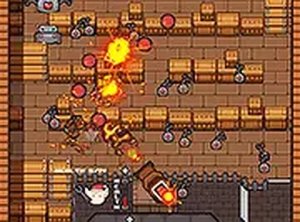
Workshop Guardian Holiday Challenge offers a cheerful holiday theme with simple yet engaging defense mechanics. Playing as Timmy the Elf, you protect Santa's workshop from mischievous robots. The controls are intuitive, making it accessible for all ages. The increasing difficulty keeps the game interesting without becoming frustrating. It is a perfect free browser game for family holiday fun.
Description
Game Introduction
Workshop Guardian Holiday Challenge is a family-friendly holiday defense game where players take on the role of Timmy the Elf. While Santa is busy delivering gifts, mischievous robots have found their way into the workshop. Your objective is to protect the workshop and keep the holiday spirit alive. This free-to-play browser game is designed for desktop use and works best with a keyboard or mouse. For a more immersive experience, you can play in full screen mode. The game combines a cheerful holiday theme with engaging defense mechanics that are easy to learn but offer enjoyable challenges as robots become more persistent. It is a great choice for families looking for a wholesome activity during the holiday season.
How to Play
Players use a keyboard or mouse to guide Timmy the Elf. The goal is to stop the robots from causing chaos in the workshop. Aim and click to defend against incoming robots. Each successful defense helps protect Santa's workshop. The game is easy to learn but offers engaging challenges as robots become more persistent. Playing in full screen mode provides a better view and more precise control. The controls are straightforward, making it accessible for players of all ages.
Game Features
Fun defense gameplay with a festive holiday theme. Easy controls that anyone can learn quickly. Free to play with no downloads required. Works on desktop browsers with keyboard or mouse. The game offers a cheerful atmosphere and is suitable for family play. It may include increasing difficulty levels as players progress.
Tips for Success
Stay alert as robots may come from different directions. Practice your aim to improve accuracy. Use the full screen mode for better visibility. Take breaks if needed to keep your reactions sharp. Learn the patterns of robot attacks to anticipate their movements. Consistent practice will help you improve your performance.
Compatibility
Faq
Is Workshop Guardian Holiday Challenge free to play?
Can I play Workshop Guardian Holiday Challenge on a mobile device?
What happens if I lose in Workshop Guardian Holiday Challenge?
Does Workshop Guardian Holiday Challenge have a time limit?
Are there different levels in Workshop Guardian Holiday Challenge?
Can I play Workshop Guardian Holiday Challenge with a controller?
More Games

Retro Arcade Wrestling Showdown
A nostalgic arcade wrestling game with iconic 80s wrestlers and fun tag team action.

Dinosaur Merge Conquest
A fun and strategic merge game with beautiful 3D graphics. Great for all ages who enjoy building powerful armies.
Block Defense Survival
Block Defense Survival offers a charming 3D pixel world with strategic defense mechanics and satisfying boss battles.

Min Hero: Tower of Sages Adventure
A charming turn-based RPG with creature collection and strategic choices, perfect for family play.

Rogue One Ground Squad Adventure
A family-friendly squad game that sharpens strategic thinking. Great for all ages.

Castle Clash Strategy Card Game
Castle Clash Strategy Card Game offers a non-violent, family-friendly card experience that emphasizes creativity and strategic thinking.

Mystic Defense 3 Strategy
Mystic Defense 3 offers engaging strategic gameplay with family-friendly content and intuitive controls suitable for all ages.

Cosmic Veggie Harvest: Alien Farm Dash
A fun, family-friendly arcade game with colorful visuals and a clever pumpkin challenge.

Vault Puzzle Strategy
A clever puzzle game that rewards careful planning and observation. Perfect for families.