Classic Ludo Board Game Online

Reviews
Classic Ludo Board Game Online delivers a polished, family-friendly experience that stays true to the original. The colorful board and pleasant sound effects make each match enjoyable. The two-player local mode and computer opponent provide flexibility for different play styles. It runs smoothly on both desktop and mobile without any downloads, making it easy to jump into a game anytime.
Description
Game Introduction
Classic Ludo Board Game Online brings the timeless board game experience to your screen. Players take turns rolling dice and moving their pieces around the board, aiming to reach the center first. This version features vibrant graphics and pleasant sound effects that make each session enjoyable. You can play against a friend in a two-player match or challenge the computer for solo practice. The rules are simple and follow traditional ludo gameplay, making it easy for new players to learn while offering enough strategy for experienced fans. Since it runs directly in your browser on both desktop and mobile devices, there is no need to install anything. Just open the page and start playing.
How to Play
Start by selecting your game mode: two players or versus the computer. Each player rolls a single die to determine movement. You move one of your pieces forward by the number shown on the die. The goal is to move all your pieces from the starting area to the center of the board. Players take turns rolling and moving, and you can block opponents by landing on their spaces. The first player to get all pieces to the center wins. The interface is clear, with responsive controls and an option to play in full screen for a more immersive experience. Simply click to roll and drag your piece to move.
Game Features
Great graphics with a colorful board and clear piece design. Pleasant sound effects that enhance gameplay without being distracting. Two modes: play against a friend locally or challenge the computer. Easy to learn with simple rules and intuitive controls. Full screen mode available for a focused experience. Runs smoothly on desktop and mobile browsers with no downloads required.
Tips for Success
Plan your moves ahead to avoid being blocked by opponents. Try to spread your pieces across the board to reduce the risk of losing progress. Pay attention to the dice rolls and prioritize moving pieces that are closer to the center. Practice against the computer to learn strategies before challenging a friend. Stay patient and focus on getting all pieces home safely.
✅ Compatibility & Testing
Faq
Can I play Classic Ludo Board Game Online on my phone?
Is there a way to save my progress in the game?
How many players can join a single match?
What happens if I roll the same number multiple times?
Are there any in-game purchases or ads?
Can I customize the board or piece colors?
More Games

Min Hero: Tower of Sages RPG
A delightful turn-based RPG with creature collection and wizard challenges, perfect for family play.

Secure Vault Challenge
A clever puzzle game that rewards planning and patience. Great for family fun.

Foot Fury Action Adventure
A fun, family-friendly action game that uses kicking mechanics and offers customization for a personalized experience.

Tofu Girl Jumping Challenge
A delightful arcade game with simple controls and charming visuals. Perfect for quick, fun sessions.

Mystic Defense 3 Strategy Game
A fun, family-friendly strategy game with magical defenses and engaging levels for all ages.

Dynasty Warriors Advance Tactical Action
A solid portable tactical action game with strategic depth and multiple characters.

Castle Clash Strategy Card Game
Castle Clash is a safe, fun card game that encourages creative strategy in a friendly setting.

Boollets Platform Rescue Quest
A fun, free browser game that combines platform rescue with portal protection. Great for quick sessions.
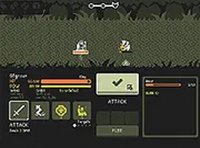
Tinyfolks Retro Strategy Defense
A delightful retro strategy game with charming pixel art and engaging turn-based combat.